












Description
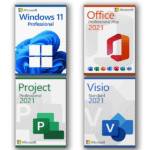
Microsoft Windows 11 Professional
With this license the software can be activated on 3 different devices, e.g. home PC, notebook and work PC.
Make sure you are ready for the newest and greatest operating system from Microsoft.
These are the minimum requirements for installing Microsoft Windows 11 on a PC. If your device does not meet these requirements, you may not be able to install Microsoft Windows 11. If you are unsure whether your PC meets these requirements, you can use the PC Health Check app to assess compatibility.
- Processor: 1 gigahertz (GHz) or faster with 2 or more cores on a compatible 64-bit processor or System on a Chip (SoC)
- RAM: 4 GB
- Storage: 64 GB or larger storage device
- System firmware: UEFI, Secure Boot capable
- TPM: Trusted Platform Module (TPM) version 2.0
- Graphics card: Compatible with DirectX 12 or later with WDDM 2.0 driver
- Display: High definition (720p) display greater than 9” diagonally, 8 bits per color channel
- Internet connection and Microsoft account: Required for setup on first use and for some features, updates, and downloads
There may be additional requirements over time for updates, as well as requirements to enable specific features within the operating system.
Additional requirements for selected Windows 11 Professional features:
- 5G support: Requires a 5G-capable modem
- Auto HDR: Requires an HDR monitor
- BitLocker to Go: Requires a USB flash drive
- Client Hyper-V: Requires a processor with second-level address translation (SLAT) capabilities
- Cortana: Requires a microphone and speaker
- DirectStorage: Requires an NVMe SSD and a DirectX 12 GPU with Shader Model 6.0 support
- DirectX 12 Ultimate: Available with supported games and graphics chips
- Presence: Requires a sensor that detects human distance or interaction intent
- Intelligent Video Conferencing: Requires a video camera, microphone, and speaker
- Multiple Voice Assistant (MVA): Requires a microphone and speaker
- Snap three-column layouts: Require a screen with at least 1920 effective pixels in width
- Mute/Unmute from Taskbar: Requires a video camera, microphone, and speaker, plus compatible apps
- Spatial Sound: Requires supporting hardware and software
- Teams: Requires a video camera, microphone, and speaker
- Touch: Requires a touchscreen-compatible device
- Two-factor Authentication: Requires PIN, biometric login, or a compatible phone
- Voice Typing: Requires a PC with a microphone
- Wake on Voice: Requires Modern Standby and a microphone
- Wi-Fi 6E: Requires compatible hardware, driver, and router
- Windows Hello: Requires a fingerprint reader, IR camera, PIN, or compatible security key
- Wireless Projection: Requires a display adapter with WDDM 2.0 and a Wi-Fi adapter that supports Wi-Fi Direct
- Xbox App: Requires an Xbox Live account; some features require an active Xbox Game Pass subscription
Microsoft Project 2021 Professional
With this license the software can be activated on 3 different devices, e.g. home PC, notebook and work PC.
Microsoft Project Professional 2021 offers extended functions and improved interfaces for working with Microsoft SharePoint, Project Server, and Skype. It is designed for project managers and business users who need to plan, manage, document, and analyze projects efficiently. The software is optimized for Microsoft Windows 10 and 11 and is not supported on older Windows versions.
Microsoft Office 2021 Professional Plus
With this license the software can be activated on 3 different devices, e.g. home PC, notebook and work PC.
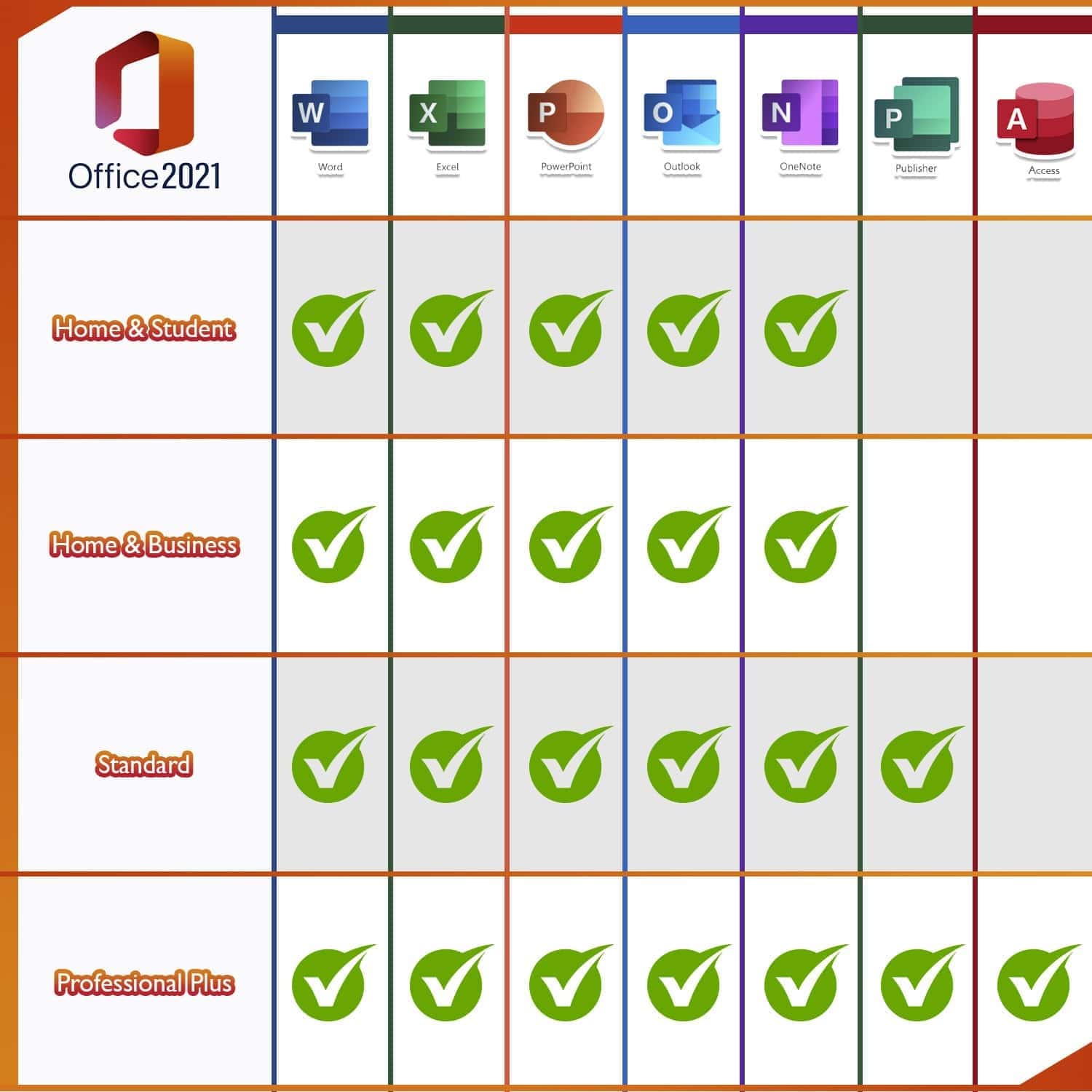
Microsoft Office 2021 Professional Plus is an excellent choice for users who need the full range of Office applications for home or office use. It includes Word, Excel, Outlook, PowerPoint, Publisher, and Access. OneNote is available for download from the Microsoft Windows Store, allowing you to take notes quickly and access them across devices via the cloud.
This edition is especially suitable for home users, home offices, and businesses looking for a powerful and reliable solution for documents, spreadsheets, presentations, email management, publications, and databases.
- Word: Create professional-quality text documents in no time
- Excel: Intelligent spreadsheet for information management
- PowerPoint: Create impressive dynamic presentations
- OneNote: Your digital notebook
- Outlook: Communication made easy
- Publisher: Create professional layouts and publications
- Access: Powerful database management tools
- Microsoft Teams: Improve productivity with instant messaging and HD video conferencing
Microsoft Visio 2021 Standard
With this license the software can be activated on 3 different devices, e.g. home PC, notebook and work PC.
Microsoft Visio Standard 2021 is the latest generation of Microsoft’s popular diagram and visualization software. It is particularly suitable for companies and teams that need to create, edit, and share diagrams efficiently.
The software includes a wide range of templates, shapes, and styles that make diagrams more visually appealing and easier to understand. Microsoft Visio Standard 2021 also allows you to feed data into existing visualizations in real time, making it a practical solution for technical, business, and organizational use.
Assistance and support:
For any questions, please feel free to contact us by email. Our customer service and support is available 7 days a week, 24 hours a day.





Reviews
There are no reviews yet.